For Chrome & Brave · macOS
Sidecar lives in your browser's side panel and keeps a single thread as you move from page to page — ask about what you're reading, the video you're watching, or anything on your screen, and it carries the whole conversation forward. Answered by the AI agent you already pay for.
You'll need: an Apple-Silicon Mac (M1 or newer) · macOS 13+ · Chrome or Brave · a Claude Code or Codex subscription
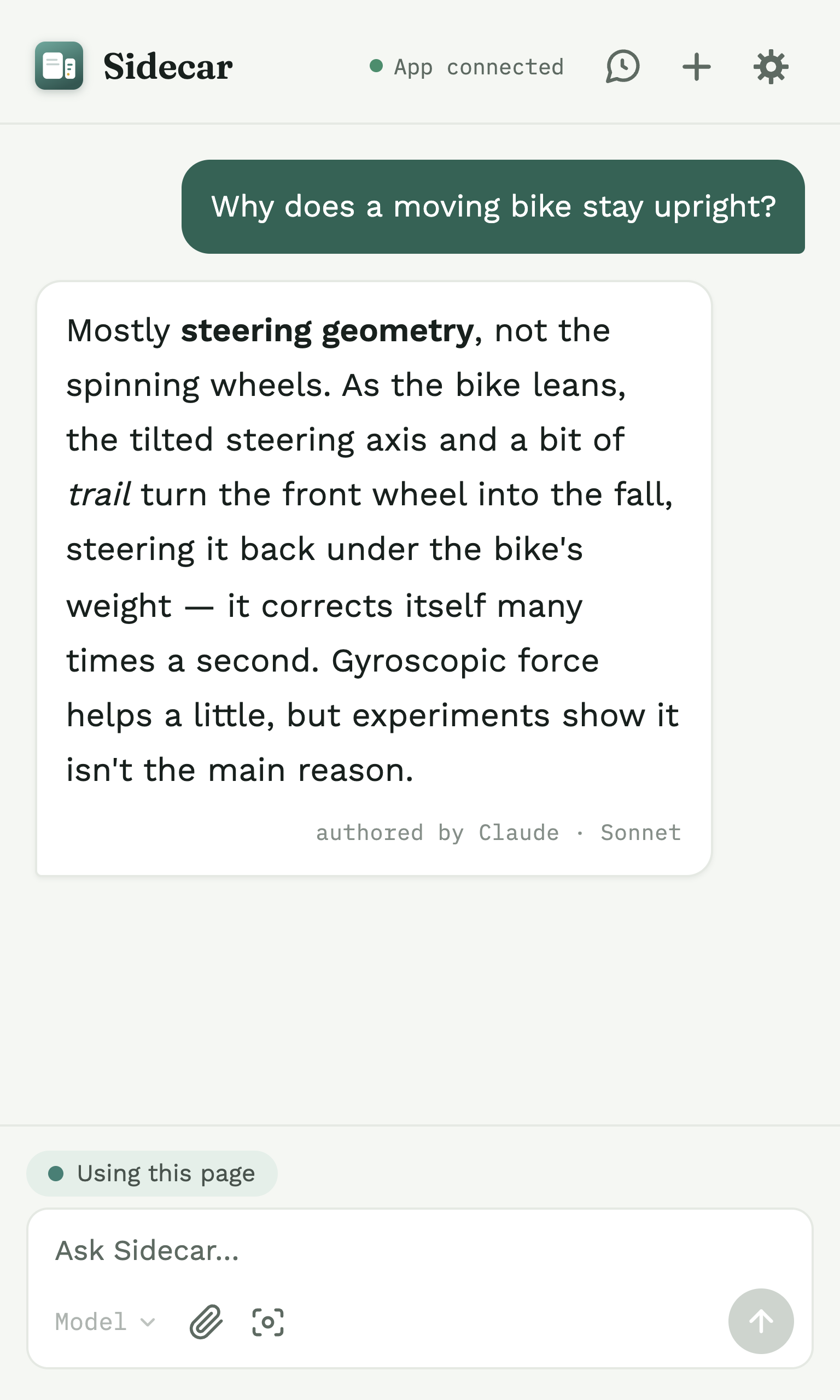
Start a conversation on one page and keep it going as you browse. Sidecar picks up each new page the first time you ask about it — no restarting, no copy-paste.
Ask about an article, drop in a screenshot or a PDF, then turn to a video. Every kind of content stays in the same conversation, carried forward together.
Runs on your own Claude Code or Codex today — your subscription, your sign-in — and is built to support more agent backends over time.
What you can do
Chatting with one page is table stakes. Sidecar is built for the way you actually browse — many pages, many kinds of content, one continuous conversation.
One thread that moves with you from tab to tab and page to page.
How it works →Screenshots, uploads, PDFs, and video or audio transcripts — all in one chat.
See the mix →Reads the transcript, or listens with Whisper when there isn't one.
Learn more →Ask to see something and Sidecar finds images from around the web, grouped by subject.
Learn more →Select text on any page and send it straight into the panel — optional, off until you turn it on.
Learn more →Web-backed answers list the links they drew on — and copy with them.
Learn more →Search every saved conversation and pick one up on any tab.
Learn more →A speaker on every answer — your Mac's voice, or a natural offline one.
Learn more →Claude or Codex today, chosen in Settings — more agents planned.
Learn more →How it works
Sidecar isn't a website you log into — it's a browser panel plus a small app on your Mac that talks to the AI you already use.
Where you chat. It reads a tab's text — or a video's transcript — only when you ask, and one thread can span many pages.
A small menu-bar app the panel talks to over your own computer — never over the internet. It has to be running for the panel to answer.
The app runs your own Claude Code or Codex to do the thinking — on your plan, through your sign-in.
Private by design
Sidecar has no server of its own. Your conversation goes only to the AI you already pay for, and everything it remembers lives on your Mac.
No extra account, no separate bill, no API key — it uses the sign-in you already have.
The developer never sees your data. There's simply no middle to sit in.
Conversations are saved and searched on your own computer. You decide what's kept.
Install the companion app, add the extension, sign in to the AI you use, and start your first conversation. No terminal required for Sidecar itself.